
Everything Vantage does, and how.
Each section describes a feature of Vantage 1.8.1 as it works today.
Fleet and sites
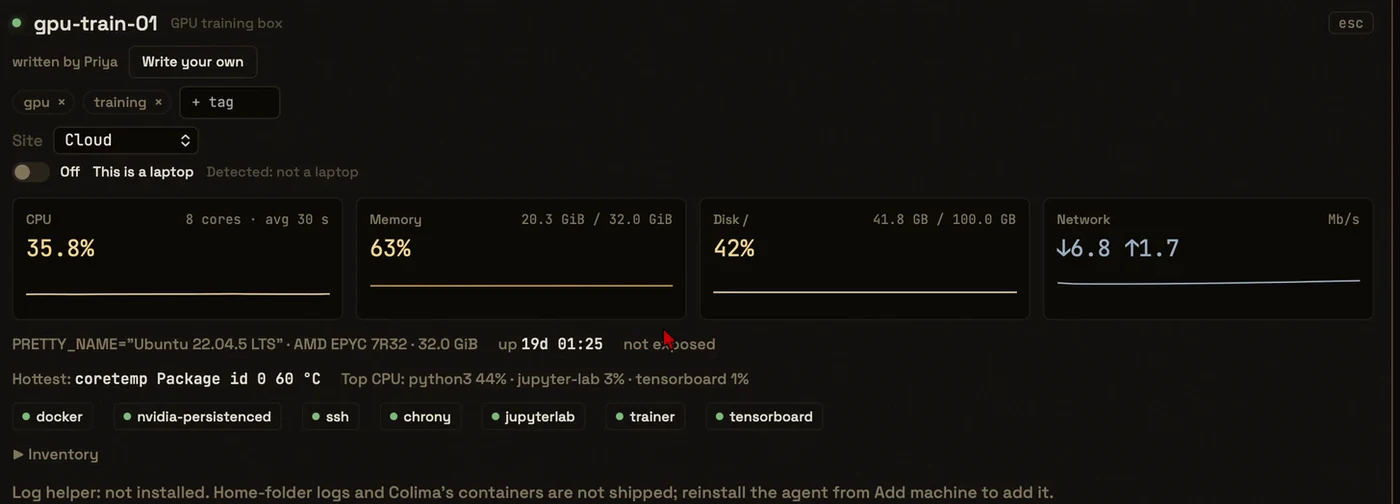
The Fleet screen shows every machine with its state, CPU, memory, disk, network and uptime. An agent on each machine reports every few seconds, and only changes go over the wire. A full profile (architecture, services, containers, listening ports, tunnels and what is reachable from outside) is refreshed every six hours.
A site is a place: a factory, a home, a cloud account. Give a machine a site and the Fleet groups by it, quiet hours follow the site's time zone, and a rule or an update can target one site.
A laptop that sleeps shows as Asleep, not down. You are told about a crash once, when it comes back.
Add a machine
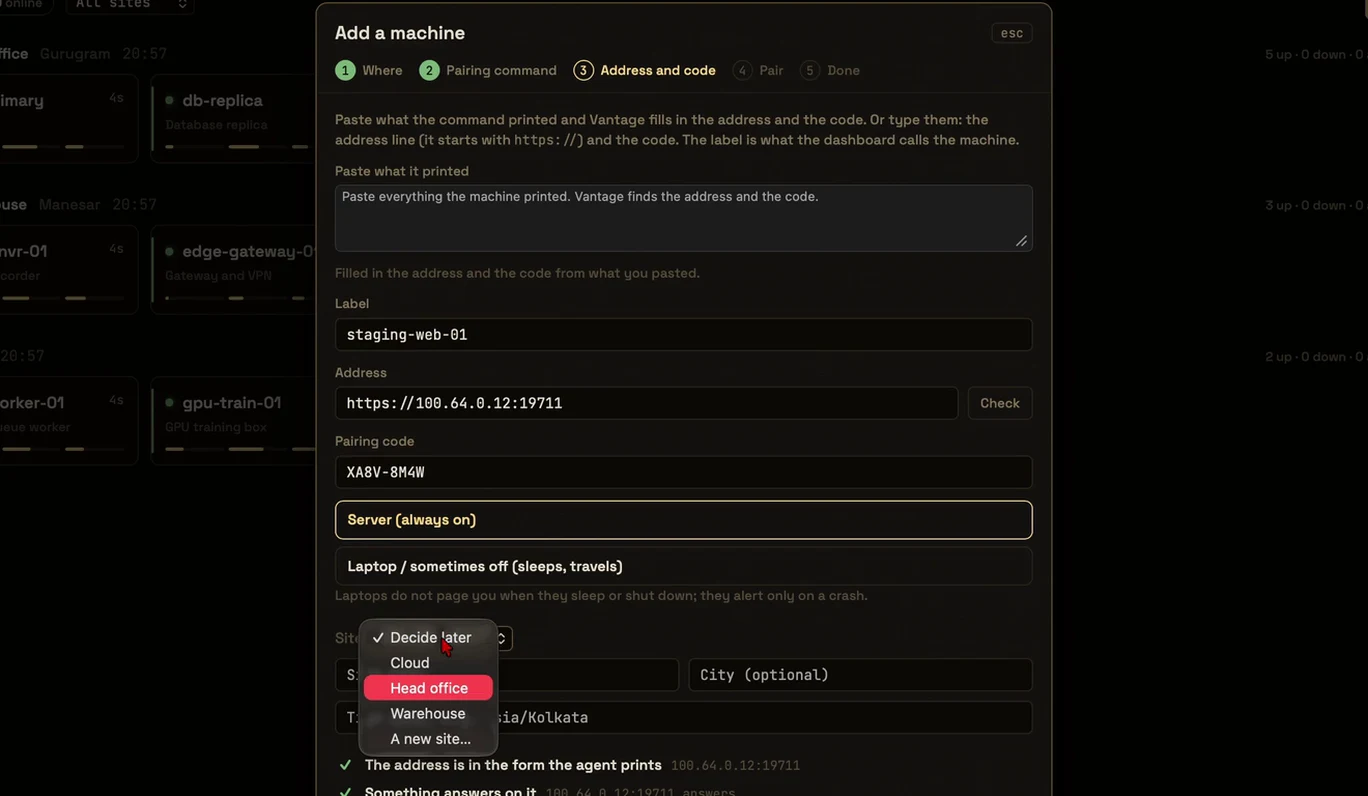
Add machine is a short guided dialog with a check before each install. Pick the way that fits:
- This Mac: installs the agent and pairs by itself.
- A server you can SSH into: Vantage detects Linux or macOS, copies the agent over, starts it as a service and pairs. If sudo asks for a password, you type it once and it is never stored.
- Machines on your tailnet: list them from Headscale or Tailscale.com and tick the ones to install.
- A machine that already runs the agent: run
sudo vantage pairthere and paste what it prints. - Copy the files over, or an install kit for a machine behind a router.
- Cloud accounts: read-only lists from AWS, Oracle Cloud and Google Cloud show which instances already run the agent.
Health and alerts on your phone
A rule is one sentence: when a machine, a tag or a site does something, alert at a severity. Conditions include CPU above a number, a service failed, error logs more than a number, a tunnel down and a certificate expiring. Preview replays a rule over the history there is before you save it.
A small watcher on your observability host sends alerts whether the app is open or not: to your phone with ntfy (no account needed), to Telegram, to a signed webhook or by email. A machine that goes quiet is one message, not twelve. A health digest can arrive at times you choose.
Logs
Search the logs of every machine by machine, service and level, with a histogram of when lines arrived and a Live mode that polls for new lines every two seconds. A click on a graph opens the logs from that moment.
On Linux the agent ships journald, files and Docker containers. On a Mac it can ship the unified log, with a predicate you write; nothing is read until you turn it on. Secrets are masked before a line leaves the machine.
Logs and long-term graphs need the observability server, which Vantage installs for you on a machine you pick.
Performance and GPUs
Performance draws CPU, memory, disk, network and one temperature graph with a line per sensor. A reading a source cannot give is shown as "no reading", never as zero.
GPUs are shown per card with name, driver, VRAM, load, temperature, power and the top processes where the source can say. NVIDIA is read through NVML in a separate worker process, with a fallback to nvidia-smi. AMD and Intel are read from the kernel, and Apple from ioreg. A sleeping GPU is not woken to read it. Raspberry Pi class boards are detected, with throttling flags shown.
Connect your AI
Vantage carries its own MCP server. In Settings, Add to Claude Code runs the command for you, and Add to Claude Desktop shows the change before it writes it. Other clients get a JSON or TOML snippet.
Reads work with the window closed. Changes wait behind an approval you see and decide. Every call is audited, including refusals. How the locks work.

Playbooks
A playbook is tied to an alert rule and has up to five steps: restart a service, restart a container or run one command. Preview lists each step and machine with the exact command and whether the machine's ceiling allows it, without running anything.
You choose the mode. Ask me every time asks before each run. Run by itself needs your approval at save time for exactly those steps, and any edit clears it. A destructive step always needs a click and the typed machine name. Cooldowns limit how often one can run, and every run is in the audit. The app must be open for a playbook to run.
Teams
An owner invites people and they see the fleet from their own Mac. A viewer reads version, state, history, logs and metrics. An operator can also run commands the machine's ceiling allows, except destructive ones, which only an owner may run. Every operator command is audited under the person's name.
An invite is shown once and runs out after 72 hours. Both sides compare a fingerprint and the owner accepts. Nothing is accepted on a code alone. Removing a person cuts their access at the gateway at once and each agent confirms.
Web UI
A read-only view of the fleet for a phone browser, served on your private network. It shows the Fleet by site, one machine's panel, Performance, Logs, Alerts and AI activity. A browser can only acknowledge or snooze alerts. Restarts, updates and approvals are not possible from it.
You pair a browser with a one-time code or QR. The first visit shows a certificate warning because the gateway makes its own certificate; compare the fingerprint the app shows before you continue.
Relay
For a machine behind a router with no tailnet. The relay is off until you turn it on, carries only agents and requires a client certificate on every connection. You forward one port to your observability server and make an install kit in the app. The kit holds the agent and a one-time join code. Run sudo ./install-agent.sh --relay-kit . on the machine, then delete the folder.
Forwarding a port makes a listener reachable from the internet. The Relay settings say so before you switch it on.
Mac and Linux apps
The Mac app is one universal build for Apple Silicon and Intel. The Linux app comes as .deb and .rpm packages. Both show the whole window: machines, Performance, Logs, Alerts, rules, sites, the Web UI and the relay. Mac-only features, such as This Mac and the unified log, say so on Linux. The app does not update itself; you install a new version by hand. See platforms.
Install Vantage.
Version 1.8.1 for Mac and Linux, signed by AVYR LABS. Free during launch.